
Claude Code + Flux MCP: One-line AI Image Generation in Terminal
📘 Complete Guide: Use All 11 AceData Cloud MCPs in Claude Code →
Flux is a model developed by the Stable Diffusion founding team, available in three tiers: Dev (fast, draft level), Pro (slightly slower, refined), Kontext (edit existing images). When integrated into Claude Code, it makes quick image generation very convenient.
¶ Obtain API Token
Before using Flux MCP Server, you need an AceData Cloud API Token:
- Open AceData Cloud Platform, supports login via GitHub, Google, WeChat, email, phone number. Register to get free credits.
- After login, you can see the API Token on the homepage; click to copy.
- When credits run out, recharge at Console → Recharge, supporting Alipay, WeChat, Stripe.
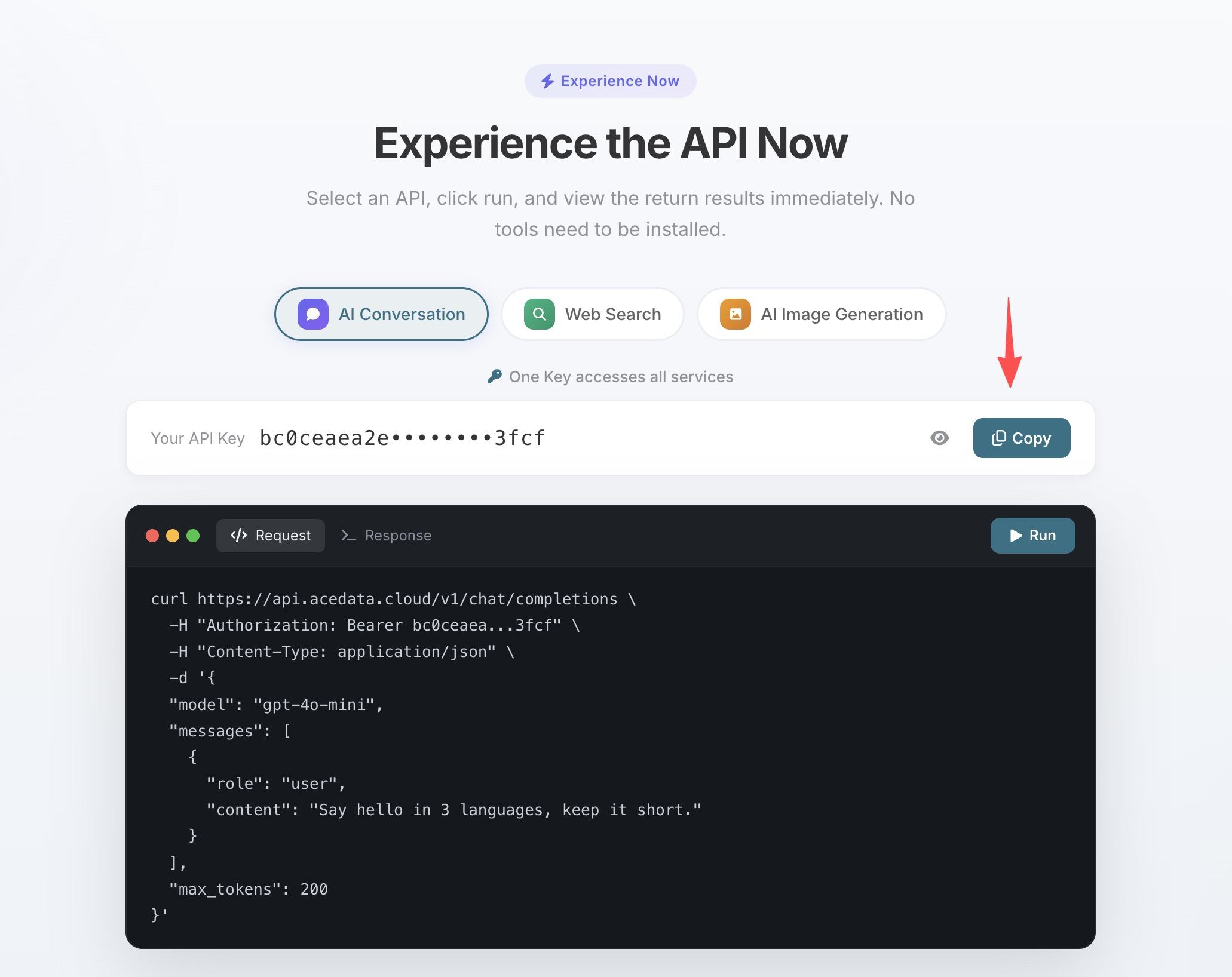
One Token can be used for all 11 MCP Servers, no need to apply separately for each service.
💡 Using Claude.ai Web or Claude Desktop? They support OAuth one-click authorization, so you don’t need to manually fill in the Token. See Claude Desktop + Flux MCP Tutorial.
¶ Configure Claude Code
Run a single command in the terminal, replacing 你的Token with the API Token you copied earlier:
claude mcp add flux --transport http https://flux.mcp.acedata.cloud/mcp \
  -H "Authorization: Bearer 你的Token"
⚠️
-Hmust be uppercase. Lowercase-his--help, not a header parameter.
Without adding -s, the default scope is local, which only applies in the current directory when running the command. It’s recommended to explicitly specify the scope:
| Scope | Command Parameter | Config File | Effect Scope |
|---|---|---|---|
local (default) |
No -s, or -s local |
~/.claude.json |
Only the project directory where the command is run |
user |
-s user |
~/.claude.json |
Global, available for all projects |
project |
-s project |
Project root .mcp.json |
Current project, can be shared via git with team |
💡 To share the same configuration with your team, add
-s project: the config is written to the project root.mcp.json. After committing to git, teammates can clone and use it. Never commit real Tokens to public repositories; use${ENV_VAR}placeholders with environment variables.
Verify it works: run claude mcp list, and you should see flux showing ✓ Connected.
¶ Three Models, Three Usage Methods
After configuration, return to the Claude Code session and use natural language to invoke Flux:
Dev — Quick Experimentation
Unsure about the style? Try several options, each generates in seconds with minimal cost:
用 flux-dev 快速生成 3 张不同风格的开发者博客封面图,分别试扁平、写实、抽象
Pro — Formal Image Generation
Once you like a direction, increase detail and resolution:
用 flux-pro 重新生成第二张,提高细节和分辨率
Kontext — Edit Existing Image
flux_edit_image performs localized modifications without regenerating the entire image:
编辑这张海报图,把右下角的日期从 2024 改成 2025
¶ Tool List
| Tool | Description |
|---|---|
| flux_generate_image | Text-to-image generation |
| flux_edit_image | Image editing |