
Claude Code + Suno MCP: Generate Songs, Music, and Covers with One Command in the Terminal
📘 Complete Guide: Use all 11 AceData Cloud MCPs in Claude Code →
Claude Code is Anthropic’s official command-line AI assistant. By connecting to the Suno MCP Server, you can create songs directly in the terminal—write lyrics, choose styles, generate music, and create covers or mashups, all without leaving the command line.
¶ Get API Token
Before using the Suno MCP Server, you need an AceData Cloud API Token:
- Open the AceData Cloud platform, which supports login via GitHub, Google, WeChat, email, or phone number. Register to get free credits.
- After logging in, you can find your API Token on the homepage. Click to copy it.
- When your credits run out, go to Console → Recharge to top up. Payment methods include Alipay, WeChat, and Stripe.
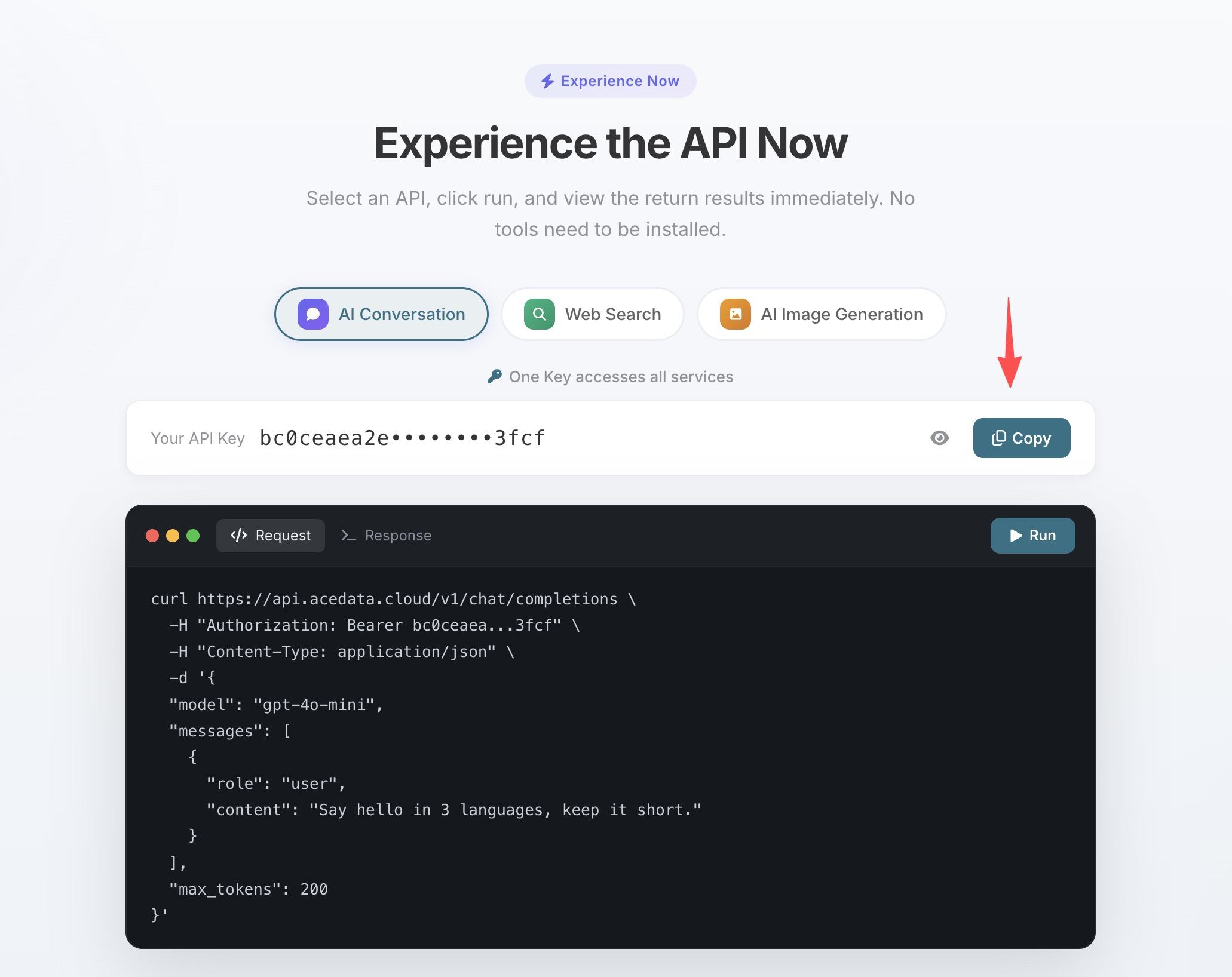
One Token grants access to all 11 MCP Servers; no need to apply separately for each service.
💡 Using claude.ai web or Claude Desktop? They support OAuth one-click authorization, so no need to manually enter the Token. See Claude + Suno MCP Illustrated Tutorial for details.
¶ Configure Claude Code
Run the following command in your terminal, replacing 你的Token with the API Token you copied:
claude mcp add suno --transport http https://suno.mcp.acedata.cloud/mcp \
  -H "Authorization: Bearer 你的Token"
⚠️
-Hmust be uppercase. Lowercase-his--help, not a header parameter.
Without -s, the default scope is local, which only applies in the current directory when running commands. It is recommended to explicitly specify the scope:
| Scope | Command Option | Config File | Scope of Effect |
|---|---|---|---|
local (default) |
no -s or -s local |
~/.claude.json |
Only effective in current project directory when running commands |
user |
-s user |
~/.claude.json |
Global, available in all projects |
project |
-s project |
.mcp.json in project root |
Current project, can be committed to git for team sharing |
💡 To share the same config with your team, add
-s project: the config is saved in the project root.mcp.json. After committing to git, teammates can clone and use it. Do not commit your real Token to public repos; use${ENV_VAR}placeholders and environment variables instead.
Verify the setup by running claude mcp list; you should see suno marked as ✓ Connected.
¶ Usage Examples
After configuration, simply use natural language in your Claude Code session to call Suno:
Quickly generate a song
Generate a folk song about a programmer working late at night
Custom lyric writing
Write lyrics about spring rain, then generate a soft pop song with those lyrics
Cover an existing song
Cover the previously generated song in a jazz style
Continue from the chorus
The chorus sounds great, extend the song from the chorus section
¶ Tool List
| Tool | Description |
|---|---|
| suno_generate_music | Generate a full song from a one-sentence description |
| suno_generate_custom_music | Write your own lyrics, set style and vocals |
| suno_extend_music | Continue an existing song from a specific timestamp |
| suno_cover_music | Cover a song in a different style |
| suno_mashup_music | Mash up two songs into one |
| suno_stems_music | Separate vocals and accompaniment |
| suno_generate_lyrics | AI-generated lyrics |
| suno_create_persona | Save voice styles |