
Claude Connects to Seedance MCP
📘 Overview Guide: Using all 11 AceData Cloud MCPs in Claude →
ByteDance's Seedance (Doubao Video Generation) is the fastest and cheapest in generating domestic text-to-video content—doubao-seedance-1-0-pro-fast series 720p costs about $0.014/second, making a 4-second short clip just a few dimes. With AceData Cloud's Seedance MCP, Claude can return the video in 23 seconds with just one prompt—view/download directly on Claude.ai web version.
This article is a hands-on record of running it on the Claude.ai web version: from adding the Connector, OAuth authorization, to generating a 480p / 4-second short clip of a little white cat chasing red leaves with one prompt, complete with screenshots for easy reproduction.
¶ What is MCP?
MCP (Model Context Protocol) is an open protocol launched by Anthropic, allowing models like Claude to call external tools through standard interfaces. In simple terms: adding plugin capabilities to Claude.
AceData Cloud has encapsulated the core capabilities of Seedance into a remote MCP Server, allowing Claude to directly:
- Generate video from text (
seedance_generate_video) - Generate video from image (
seedance_generate_video_from_image) - Query single/batch tasks (
seedance_get_task,seedance_get_tasks_batch) - List actions/models/resolutions (
seedance_list_actions,seedance_list_models,seedance_list_resolutions)
The entire integration requires just one URL, and the rest is handled by Claude.
¶ Adding Seedance MCP in Claude.ai Web Version
💡 The integration in Claude.ai web version is OAuth direct connection, no need to copy API Token. You only need an account that can log in to AceData Cloud (GitHub / Google / WeChat are all acceptable).
¶ 1. Open Connectors Settings
Log in to https://claude.ai, click the avatar in the lower left corner → Settings → Customize → Connectors, or directly visit https://claude.ai/customize/connectors.
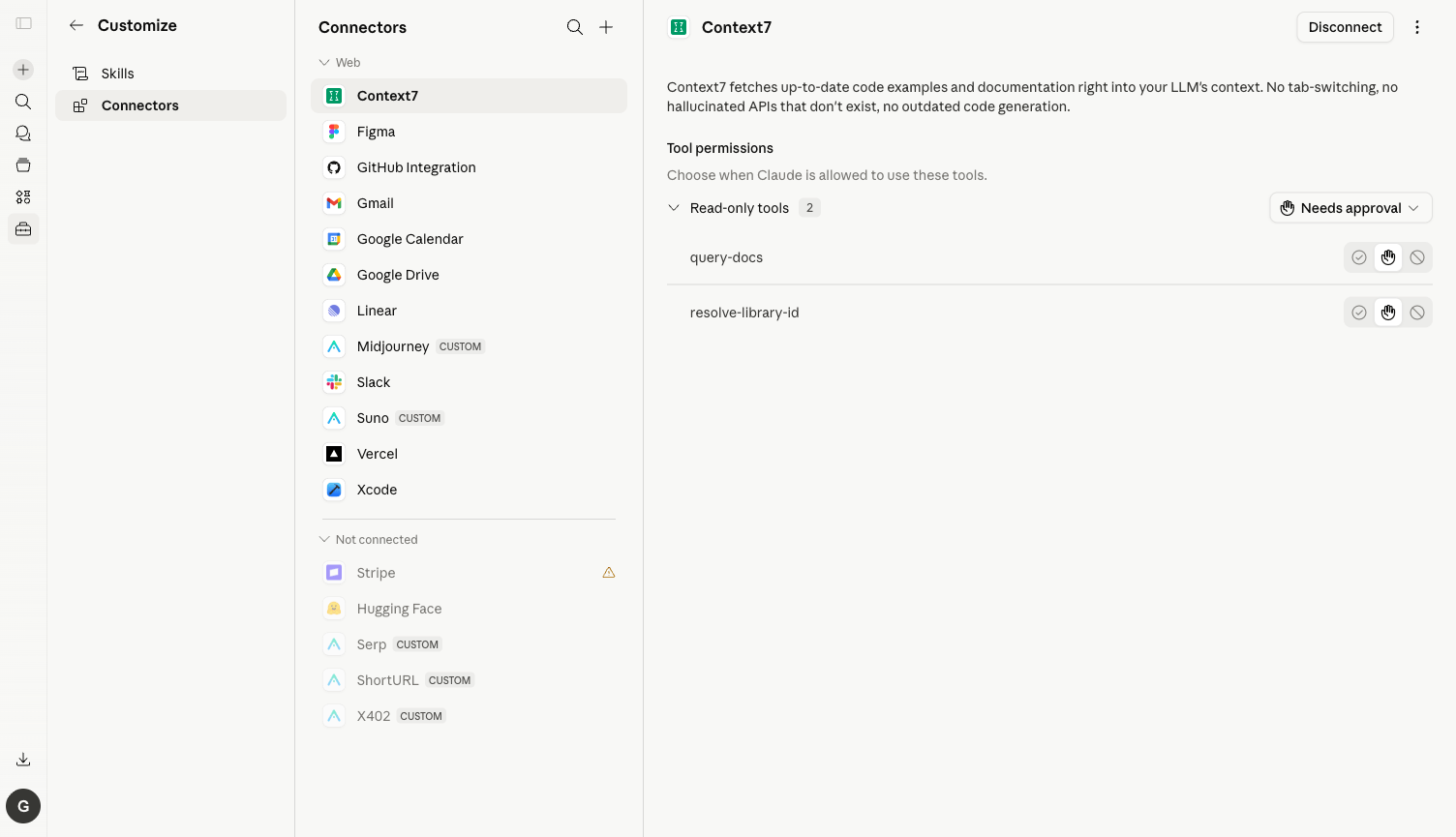
⚠️ The old entry
/settings/connectorshas been migrated to/customize/connectors. Accessing the old address will show a message "Connectors have moved to Customize."
¶ 2. Add Seedance MCP Server
Click the plus sign in the upper right corner → Add custom connector, fill in the pop-up dialog:
| Field | Value |
|---|---|
| Name | Seedance (choose any name) |
| URL | https://seedance.mcp.acedata.cloud/mcp |
Click Add, and Claude will automatically discover all the tools exposed by the Server.
¶ 3. OAuth Authorization
Click Connect → Redirect to AceData Cloud OAuth authorization page → Log in with your account and click Allow. If you haven't registered yet, go to https://platform.acedata.cloud to register; you will receive free credits sufficient to run the demo in this article.
¶ 4. Check Tool List & Set Tools to Always Allow
After authorization, return to Claude.ai, open the Seedance Connector, and you will see 7 tools: seedance_generate_video, seedance_generate_video_from_image, seedance_get_task, seedance_get_tasks_batch, seedance_list_actions, seedance_list_models, seedance_list_resolutions.
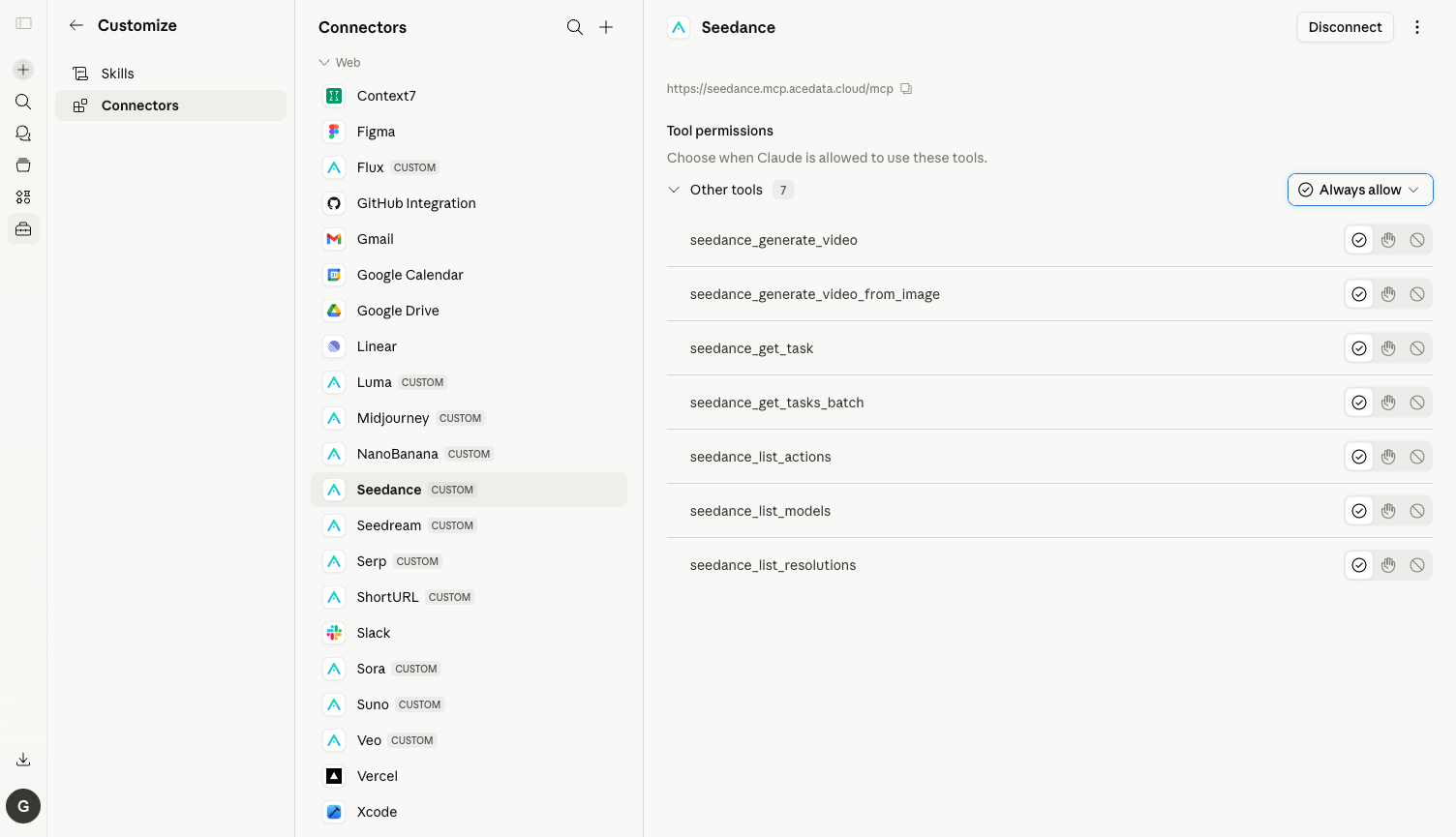
⚙️ It is highly recommended to switch the Needs approval dropdown in the upper right corner to Always allow, otherwise, a confirmation box will pop up every time a tool is called. Generating a video usually triggers 3–5 calls (first list_models / list_resolutions for options, then generate_video, and finally poll get_task), leading to a lot of confirmations.
¶ Practical Test: One English Prompt Generates a 4-Second Clip
Here is the real conversation I ran:
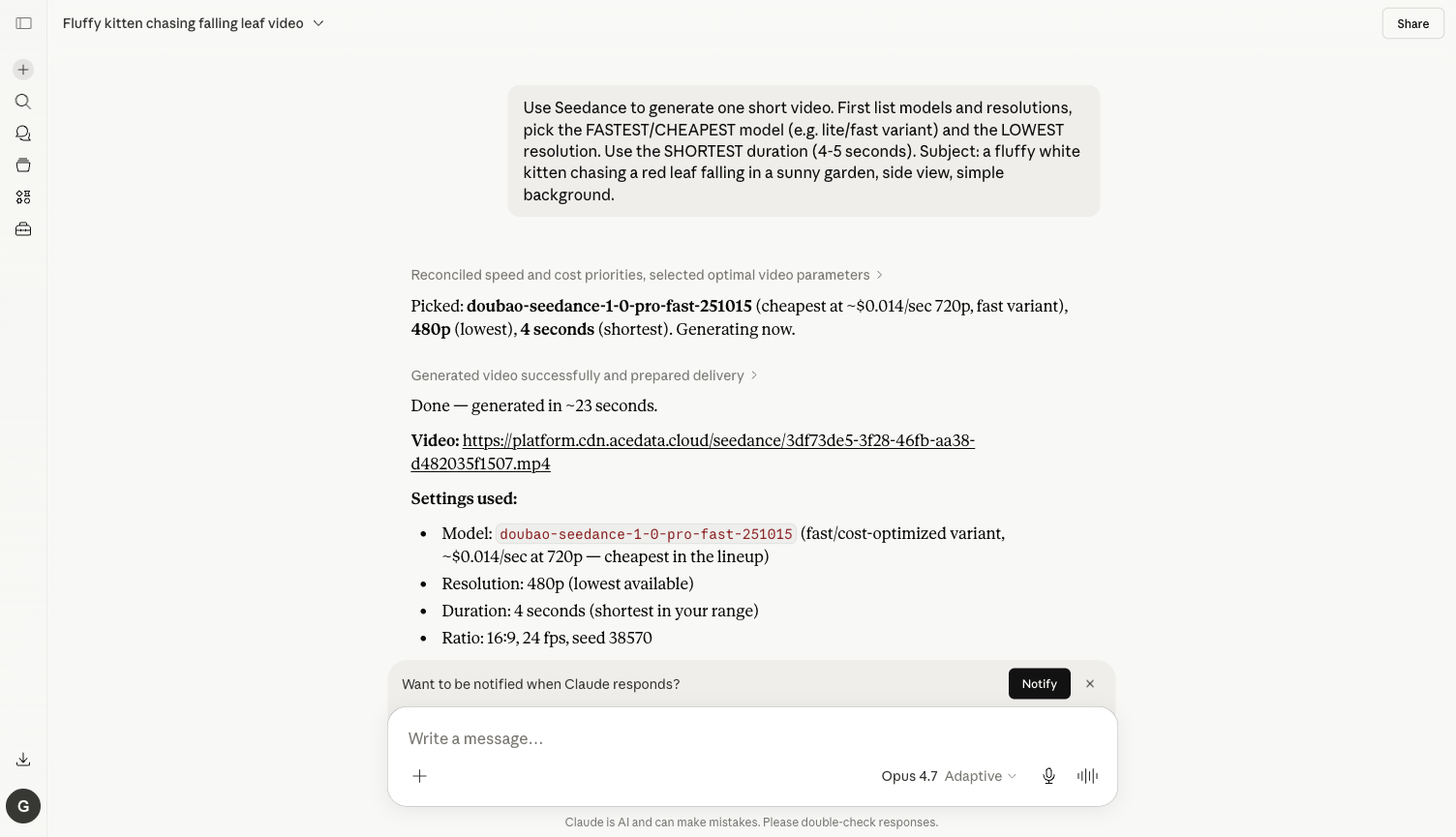
Prompt: Use Seedance to generate one short video. First list models and resolutions, pick the FASTEST/CHEAPEST model (e.g. lite/fast variant) and the LOWEST resolution. Use the SHORTEST duration (4-5 seconds). Subject: a fluffy white kitten chasing a red leaf falling in a sunny garden, side view, simple background.
What Claude did upon receiving it:
- Automatically called
seedance_list_models+seedance_list_resolutionsto check available values - Selected
doubao-seedance-1-0-pro-fast-251015(fast variant, 720p about $0.014/second, the cheapest in the series) +480p+ 4 seconds + 16:9 + 24fps - Called
seedance_generate_videoto submit the task, then polledseedance_get_task - Received the final video in about 23 seconds
- Posted the video link + complete parameter description in the chat box
Here is the final result screenshot from the chat:
The actual generated video (directly hosted on cdn.acedata.cloud, available long-term):
📹 https://cdn.acedata.cloud/4e183464f5.mp4
💡 The fast variant + 480p + 4 seconds of Seedance is truly a "super cheap and fast video generation" combination—enough to produce dozens of short clips for the price of a cup of milk tea, making it very suitable for batch testing, e-commerce storyboards, and social media short videos during the initial prompt exploration.
¶ More Use Cases (Same Connector)
Change the prompt to the following, and Claude will automatically select the appropriate tools:
Generate Video from Image
Take this image https://cdn.acedata.cloud/foo.png and animate it with Seedance fast model: slow zoom-in, soft wind, 4 seconds, 480p.
→ Claude calls seedance_generate_video_from_image to turn the static image into a dynamic short clip.
Compare pro vs fast models
Generate the same prompt "a samurai walking through bamboo forest in mist" with Seedance pro AND fast variants at 720p, 5 seconds, and tell me which one looks better.
→ Claude calls seedance_list_models to get all variants, submits them separately, and finally provides a comparison.
Vertical + High Resolution
List Seedance resolutions first, then generate a 9:16 vertical 1080p clip of "neon Tokyo street, walking POV, raining" with the pro model.
→ Claude first calls seedance_list_resolutions to get valid values, then seedance_generate_video to produce a vertical short clip.
Batch Video Generation
Generate 3 Seedance videos in parallel: 1) puppy on beach, 2) hot air balloon at sunrise, 3) coffee being poured. All 480p, 4s, fast model. Then return all three URLs.
→ Claude concurrently submits 3 tasks, then uses seedance_get_tasks_batch to check all 3 results at once.
¶ Frequently Asked Questions
Q: Why do I still need to confirm with new tools after clicking Always allow?
A: Always allow remembers at the tool level. generate_video, generate_video_from_image, get_task, and list_models are different tools, and you only need to confirm each once the first time.
Q: What should I do if my balance is insufficient?
A: The error message will include insufficient balance. Go to https://platform.acedata.cloud/console/coin to recharge, supporting Alipay / WeChat / Stripe / USDC. Seedance is one of the cheapest video models on the entire platform, and a few dollars are enough for many runs.
Q: What advantages does it have compared to Sora / Veo / Luma?
A: Seedance focuses on affordability + speed—20+ seconds to produce a 4-second short video, with unit costs only a fraction of similar European and American models, especially suitable for Chinese prompts, localized shooting styles, and batch generation scenarios; Sora is general-purpose, Veo is stable, and Luma is dreamy art.
Q: Can Claude Desktop and Claude Code be used this way too?
A: Yes. For details, see Claude Desktop + Seedance MCP and Claude Code + Seedance MCP.