
Cursor Integration with Ace Data Cloud MCP
This is an overview article: Connect all 10 MCP Servers provided by AceData Cloud to Cursor at once, allowing you to generate images, write songs, create videos, search the web, and shorten links directly within the editor during coding breaks. Using Claude Code / Claude Desktop? Please see → Using AceData Cloud MCP in Claude Code — Complete Guide · Claude Desktop Complete Guide
¶ Why Cursor + MCP
Cursor is currently the most popular AI programming editor, built-in with Claude / GPT models + Composer. After connecting to MCP, AI can directly in the editor:
- Generate a hero image after finishing a README
- Create an adaptive BGM in seconds while recording tutorials
- Search trends in real-time while writing technical blogs for reference
- Shorten links into short URLs to paste into release notes during version releases
No need to switch windows, open a browser, or start a new script.
¶ What MCP Servers Does AceData Cloud Provide?
We have encapsulated the following capabilities into managed remote MCP Servers, ready to use with unified billing:
| MCP Server | Domain | Core Capabilities | Remote URL |
|---|---|---|---|
| Suno | 🎵 Music | Text-to-song, lyrics, covers, continuations, voice separation, Persona | https://suno.mcp.acedata.cloud/mcp |
| Midjourney | 🎨 Art | Text-to-image, image mixing, upscaling, editing, video generation | https://midjourney.mcp.acedata.cloud/mcp |
| Flux | 🎨 Art | 6 models, Kontext editing, commercial royalty-free | https://flux.mcp.acedata.cloud/mcp |
| Seedream | 🎨 Art | ByteDance model, strongest understanding of Chinese prompts | https://seedream.mcp.acedata.cloud/mcp |
| NanoBanana | 🎨 Art | Gemini-driven, virtual fitting, product scene switching | https://nanobanana.mcp.acedata.cloud/mcp |
| Luma | 🎬 Video | Dream Machine, start and end frame control | https://luma.mcp.acedata.cloud/mcp |
| Veo | 🎬 Video | Google model, native audio, 1080p super resolution | https://veo.mcp.acedata.cloud/mcp |
| Seedance | 🎬 Video | ByteDance, action generation, dubbing | https://seedance.mcp.acedata.cloud/mcp |
| Serp | 🔍 Search | Google search with 6 types, multilingual | https://serp.mcp.acedata.cloud/mcp |
| ShortURL | 🔗 Tool | Long URL to short URL, batch processing, free forever | https://shorturl.mcp.acedata.cloud/mcp |
One AceData Cloud Token = All 10 MCP Servers.
¶ Step 1: Obtain API Token
- Open AceData Cloud Platform, supports login via GitHub, Google, WeChat, email, or phone number, and you get free credits upon registration.
- After logging in, you can see your API Token on the homepage, click to copy.
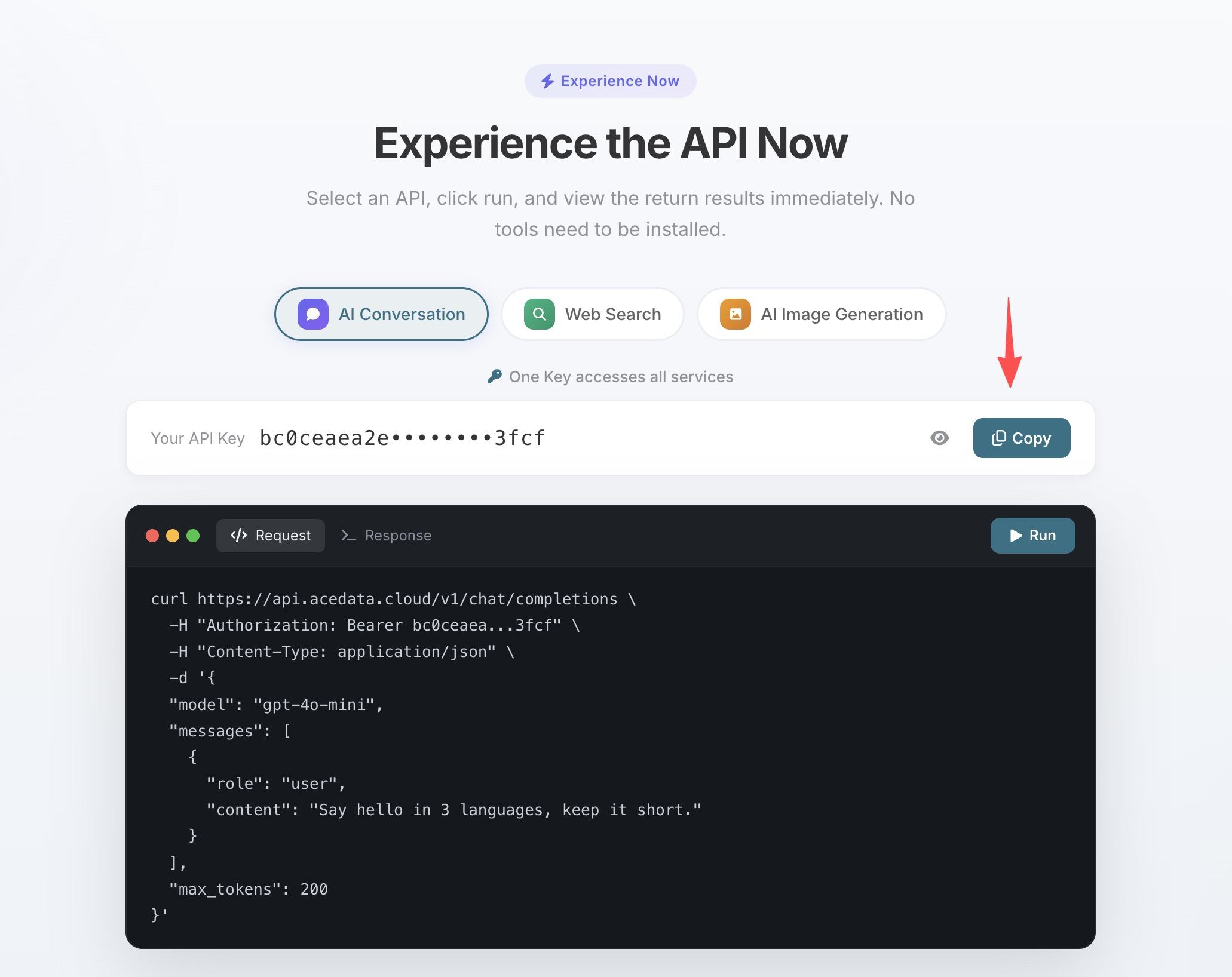
- If your balance is insufficient, go to Console → Recharge, supporting Alipay, WeChat, and Stripe.
¶ Step 2: Configure MCP in Cursor
Open Cursor → Settings → Cursor Settings → MCP (or directly edit ~/.cursor/mcp.json), fill in the following JSON. Remember to replace the 10 instances of yourToken with the API Token copied in the previous step:
{
  "mcpServers": {
    "suno":       { "url": "https://suno.mcp.acedata.cloud/mcp",       "headers": { "Authorization": "Bearer 你的Token" } },
    "midjourney": { "url": "https://midjourney.mcp.acedata.cloud/mcp", "headers": { "Authorization": "Bearer 你的Token" } },
    "flux":       { "url": "https://flux.mcp.acedata.cloud/mcp",       "headers": { "Authorization": "Bearer 你的Token" } },
    "seedream":   { "url": "https://seedream.mcp.acedata.cloud/mcp",   "headers": { "Authorization": "Bearer 你的Token" } },
    "nanobanana": { "url": "https://nanobanana.mcp.acedata.cloud/mcp", "headers": { "Authorization": "Bearer 你的Token" } },
    "luma":       { "url": "https://luma.mcp.acedata.cloud/mcp",       "headers": { "Authorization": "Bearer 你的Token" } },
    "veo":        { "url": "https://veo.mcp.acedata.cloud/mcp",        "headers": { "Authorization": "Bearer 你的Token" } },
    "seedance":   { "url": "https://seedance.mcp.acedata.cloud/mcp",   "headers": { "Authorization": "Bearer 你的Token" } },
    "serp":       { "url": "https://serp.mcp.acedata.cloud/mcp",       "headers": { "Authorization": "Bearer 你的Token" } },
    "shorturl":   { "url": "https://shorturl.mcp.acedata.cloud/mcp",   "headers": { "Authorization": "Bearer 你的Token" } }
  }
}
After saving, return to the Cursor main interface, and you will see 10 green dots indicating the services are all ready in Settings → MCP.
💡 Want to try just one or two? Simply delete the unnecessary entries, and you can add them back anytime. ⚠️ Never submit
mcp.jsoncontaining real tokens to public repositories, it is recommended to add it to.gitignoreor use environment variable placeholders.
¶ Step 3: Directly Call in Composer
In Cursor's Composer / Chat, just speak naturally:
¶ Example 1: Create Materials While Coding
Help me complete:
- Use Suno to generate a 30-second upbeat BGM
- Use Midjourney to generate 3 product hero images
- Use Luma to combine the images into a product promotional video
- Shorten the video link using ShortURL and paste it into the README
¶ Example 2: Comprehensive Technical Research
Help me:
- Use Serp to search for the latest trends in AI video generation technology
- Organize a technical blog outline based on the results
- Use Flux to generate an illustration for the blog
¶ Example 3: Bulk Production of Marketing Materials
Help me batch produce a set of publishing materials:
- Brand theme song (Suno)
- 4 promotional images in a unified style (Midjourney)
- A 15-second brand video (Veo)
- A 9:16 vertical short video (Seedance)
¶ Services × Cursor Individual Tutorial Index
| Service | Cursor Tutorial |
|---|---|
| 🎵 Suno | Cursor + Suno MCP: Write songs and create BGM in the editor |
| 🎨 Flux | Cursor + Flux MCP: Commercial use royalty-free AI images |
| 🎨 Seedream | Cursor + Seedream MCP: Doubao Chinese painting |
| 🎨 NanoBanana | Cursor + NanoBanana MCP: Gemini smart image editing |
| 🎬 Luma | Cursor + Luma MCP: Dream Machine videos |
| 🎬 Veo | Cursor + Veo MCP: Google 1080p videos |
| 🎬 Seedance | Cursor + Seedance MCP: Action videos |
| 🔍 Serp | Cursor + Serp MCP: Google search |
| 🔗 ShortURL | Cursor + ShortURL MCP: Link shortening |
¶ Frequently Asked Questions
Q: Is the remote MCP Server secure?
A: Traffic goes through HTTPS, and authentication uses Bearer Token, which can be revoked at any time in the console. All 10 MCP Servers share the same Token for unified management.
Q: Can I configure only part of the services?
A: Of course, just delete the entries you don't need in the configuration file. You can add them back at any time later.
Q: How much does it cost to call once?
A: Charged by service, a song from Suno or an image from Midjourney costs between a few cents to a few dimes. A free quota is provided upon registration, sufficient for daily use; see the pricing page for detailed prices.
🚀 Get started now by connecting the 10 MCP Servers to your editor, transforming it from a "code assistant" into a "versatile AI creative workstation."