
Cursor Integration with Seedance MCP
Seedance is an AI video generation model launched by ByteDance, which has a very accurate understanding of Chinese descriptions. The generated videos are dynamic and natural, with exquisite visuals. Through the Seedance MCP Server, you can directly generate videos in Cursor using natural language—describe a scene, and you can get the final product in minutes, supporting text-to-video and image-to-video generation.
¶ Obtain API Token
Before using the Seedance MCP Server, you need an API Token from AceData Cloud. The process is very simple:
- Open the AceData Cloud platform, which supports GitHub, Google, or WeChat login. You will automatically receive a free quota after registration.
- After logging in, you can see your API Token on the homepage. Click the copy button to obtain it.
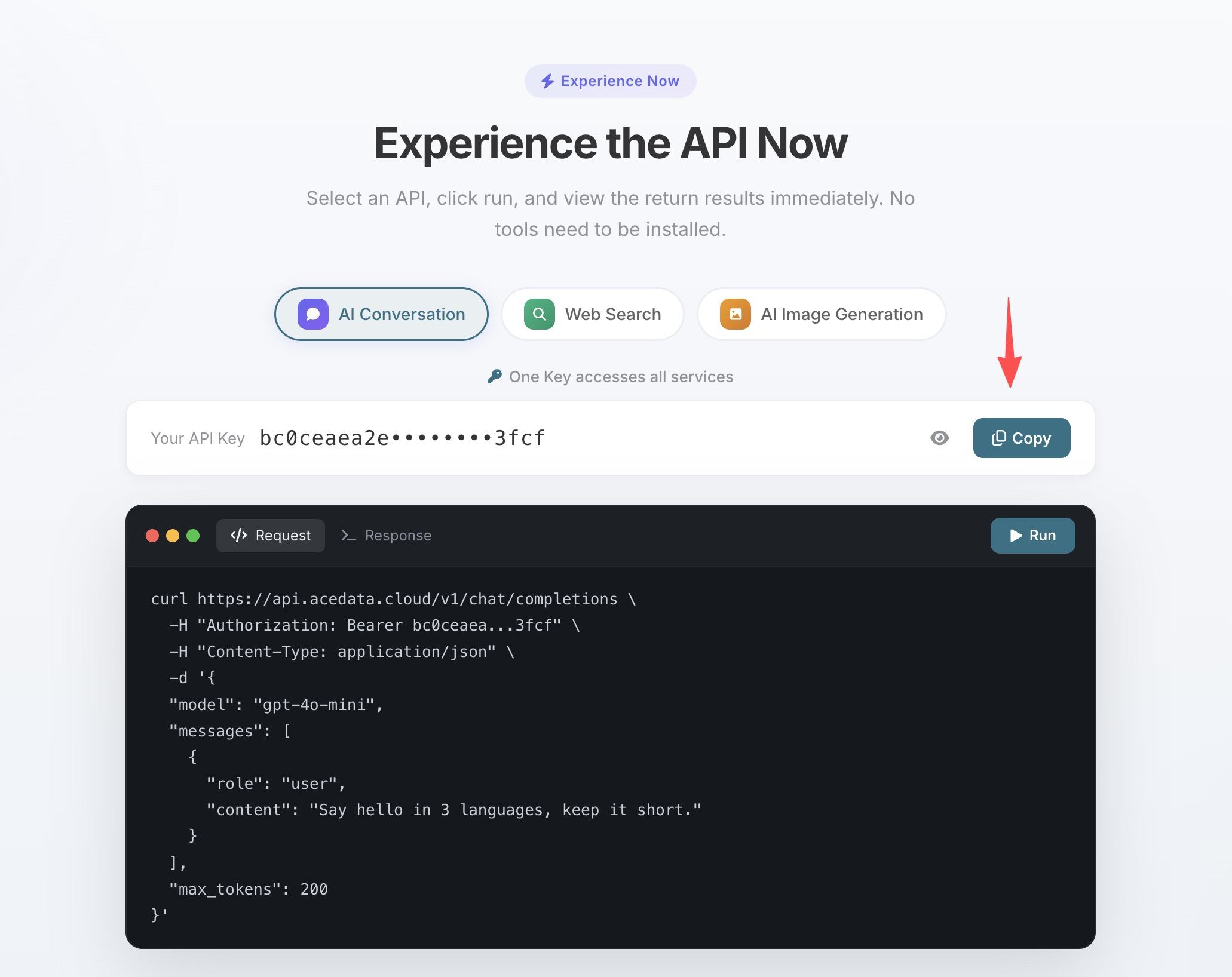
- If the quota runs out, you can go to the console to recharge, supporting Alipay, WeChat, and Stripe.
One Token can be used for all MCP Servers, no need to apply separately for each service.
¶ Configuration
Create .cursor/mcp.json in the project root directory:
{
  "mcpServers": {
    "seedance": {
      "type": "http",
      "url": "https://seedance.mcp.acedata.cloud/mcp",
      "headers": {
        "Authorization": "Bearer yourToken"
      }
    }
  }
}
After saving, Cursor will automatically recognize and connect to the Seedance MCP Server.
¶ Practical Usage
Logo Animation
Your project needs a dynamic logo display effect:
> Generate a 3-second video: on a white background, blue lines gradually outline the shape of a tech logo, and finally, the logo is fully presented.
This is 100 times faster than doing it manually in After Effects.
Product Screenshot to Demo Video
The designer provided a set of app screenshots, and the PM wants a dynamic demonstration effect:
> Use this app screenshot as the starting screen, generate a video showing the user sliding and browsing through the interface.
Input the reference image to bring the static image to life.
Video with Sound
Creating a short video and don’t want to add voiceovers separately?
> Generate a video of a café scene, with someone coding in front of a laptop, including ambient sound effects.
Set generate_audio: true, and the video will come with sound effects.
¶ Tools
| Tool | Description |
|---|---|
| seedance_generate_video | Text/Image to Video Generation |
¶ Other Editor Configurations
- VS Code:
.vscode/mcp.json, configure the sameurlandheadersunderservers. - Claude Code — Terminal command line configuration, see Claude Code + Seedance MCP Tutorial.
- Claude Desktop — See Claude Desktop + Seedance MCP Tutorial.