
Cursor Integration ShortURL MCP
When writing a README, you may have encountered a scenario where a link takes up half the screen, the Markdown table is completely stretched, and the URL in the PR description is just annoying to look at.
Now in Cursor, you can directly tell AI a sentence, and ShortURL MCP can help you turn long links into clean https://surl.id/xxxxx in seconds—without switching windows.
¶ Get API Token
Before using the ShortURL MCP Server, you need an AceData Cloud API Token. The process is very simple:
- Open the AceData Cloud platform, which supports GitHub, Google, or WeChat login, and you will automatically receive a free quota after registration.
- After logging in, you can see your API Token on the homepage; click the copy button to obtain it.
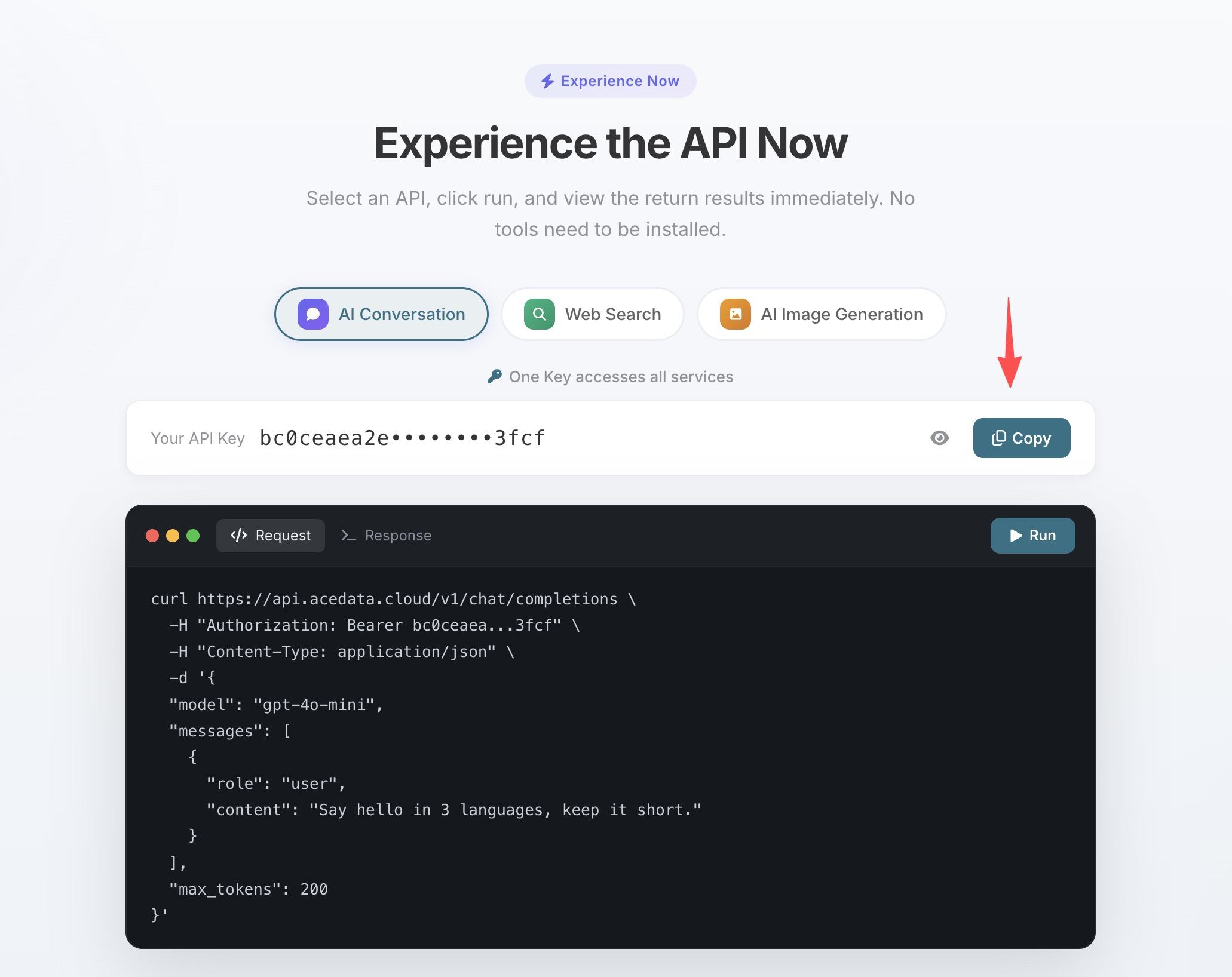
- If the quota runs out, you can go to the console to recharge, supporting Alipay, WeChat, and Stripe.
One Token can be used for all MCP Servers, no need to apply separately for each service.
¶ Configuration
Create .cursor/mcp.json in the project root directory:
{
  "mcpServers": {
    "shorturl": {
      "type": "http",
      "url": "https://shorturl.mcp.acedata.cloud/mcp",
      "headers": {
        "Authorization": "Bearer yourToken"
      }
    }
  }
}
After saving, Cursor will automatically recognize the MCP configuration, and you can confirm that the ShortURL tool has been loaded in the settings.
¶ Use Cases
When writing README
Document links are long and ugly, especially the permanent links from GitHub:
> Help me replace all external links longer than 80 characters in the README with short links
AI will find all long links, call shorturl_create to shorten them one by one, and then replace them.
When creating API documentation
Each API's documentation link is very long, and it’s hard to see when placed in a table. Let AI handle it in bulk:
> Convert all 5 documentation links in this table to short links
When sharing with colleagues
You want to send a link in Slack, but if it's too long, it will preview as a large block:
> Help me shorten this link, I want to send it to the team
Batch shortening
shorturl_batch_create can shorten up to 10 links at a time:
> Shorten these 8 links all at once
¶ Tool List
| Tool | Description |
|---|---|
shorturl_create |
Generate short links |
shorturl_batch_create |
Batch generate short links (up to 10 at a time) |
¶ Other Editor Configurations
- VS Code —
.vscode/mcp.json, same configuration underservers - Claude Code — Terminal command line configuration, see Claude Code + ShortURL MCP Tutorial
- Claude Desktop — macOS:
~/Library/Application Support/Claude/claude_desktop_config.json; Windows:%APPDATA%\Claude\claude_desktop_config.json