
Ace Data Cloud Studio - One-Stop Experience with the World's Leading Models
Are you also troubled by various subscriptions? This tool requires a $20 top-up, that tool needs a separate membership, and by the end of the month, subscription fees add up to hundreds without realizing it. Or maybe you've been waiting for a whitelist for a new model and still haven't gotten in. Or perhaps you've seen some sites only offer APIs without a proper interface, and you want to use them but don't know where to start.
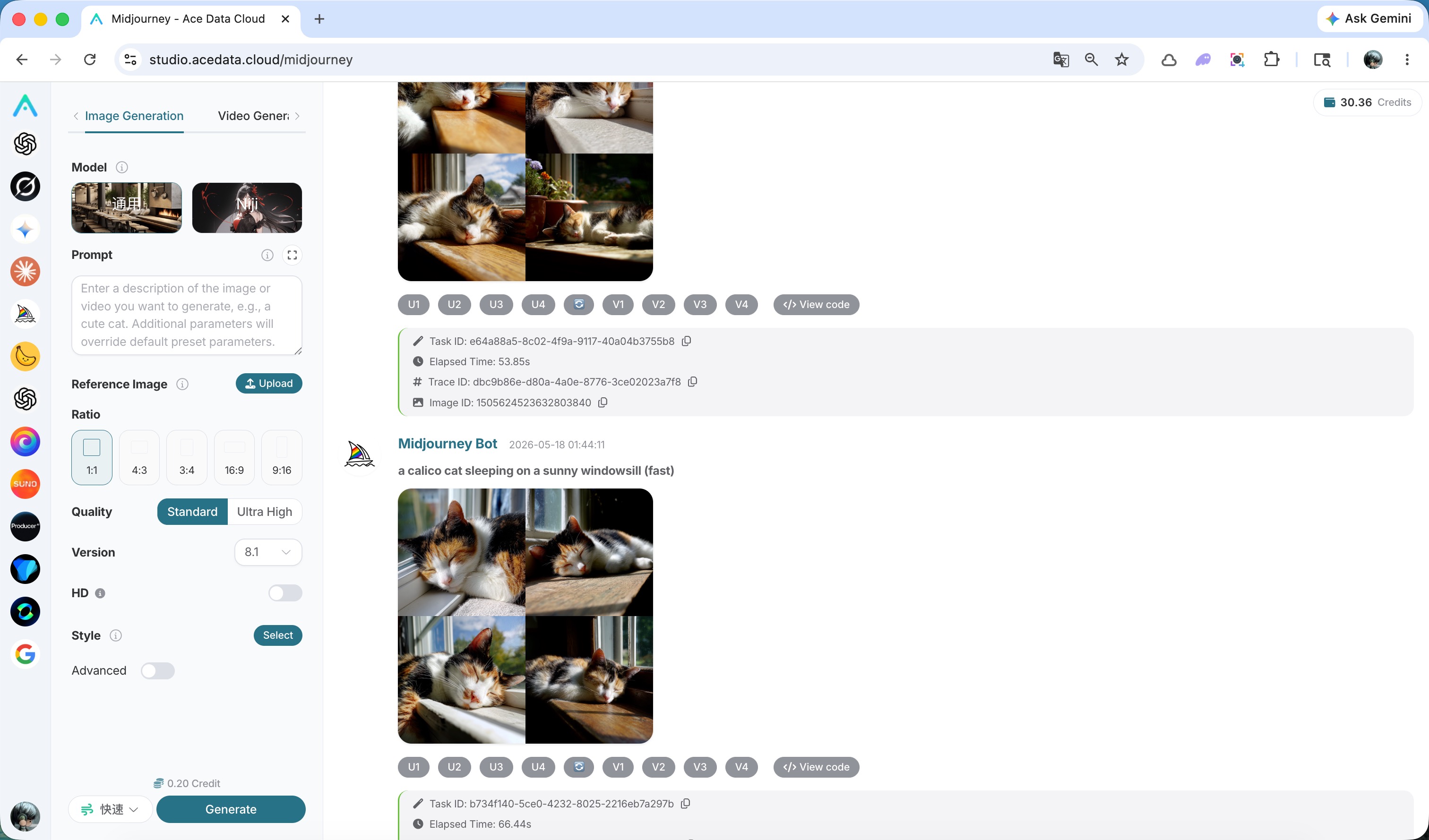
studio.acedata.cloud exists to solve this problem. It is the official online product of AceData Cloud, integrating all the platform's end-user capabilities for chat, image generation, video generation, and music generation into one webpage. Just open your browser and log in, and you can directly use the world's most cutting-edge models—recently popular ones like GPT Image 2 for image generation, Nano Banana, Suno music, Veo, and Seedance 2.0 for video are all included.
¶ Get Started in One Minute
The whole process has almost no barrier to entry. Visit studio.acedata.cloud, choose a convenient login method—Google, GitHub, WeChat, email all work—and after logging in, the system will give you some free credits to try it out first. Once you confirm you like it, you can decide whether to continue using it.
¶ What It Can Help You Do
¶ Chat
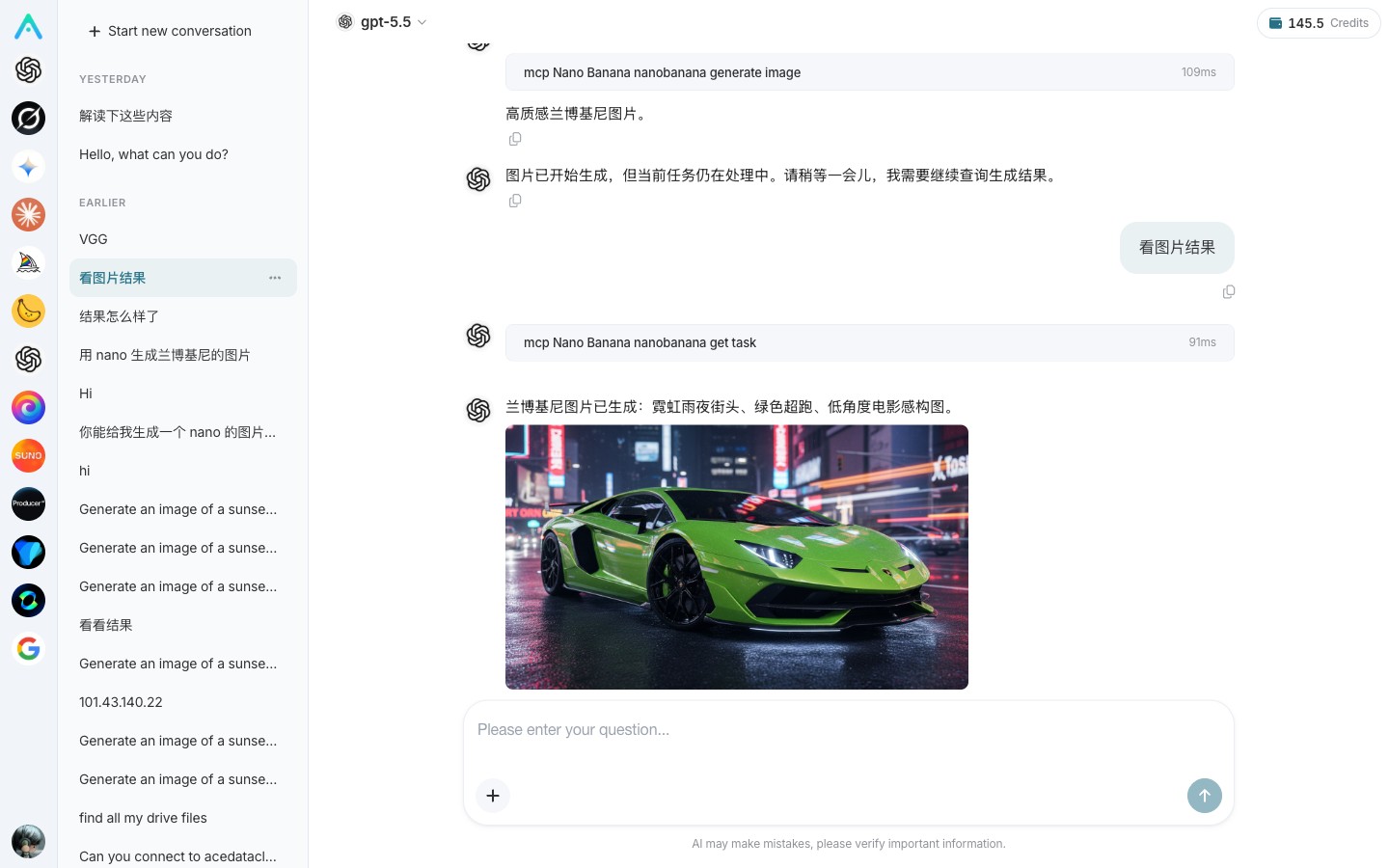
Studio's AI chat is different from common web chat products on the market. It is not a simple API proxy, nor a reverse-engineered shell. Behind it is a complete set of Agent technology: you can install Connectors to bring in your own data, install various Skills to add extra capabilities, and even let it dynamically call these Skills to complete relatively complex tasks.
Even more interestingly, it directly integrates other capabilities from the AceData Cloud platform. In the same chat window, you can have the model generate an image, compose a piece of music, or create a short video on the fly—something other mainstream chat products cannot do. For example, some products only allow you to use their own image generation models, while others require installing several plugins just to barely generate images; with Studio, these are all ready to use out of the box. If you want an image halfway through a conversation, just generate it directly without switching interfaces or copying and pasting.
¶ Image Generation
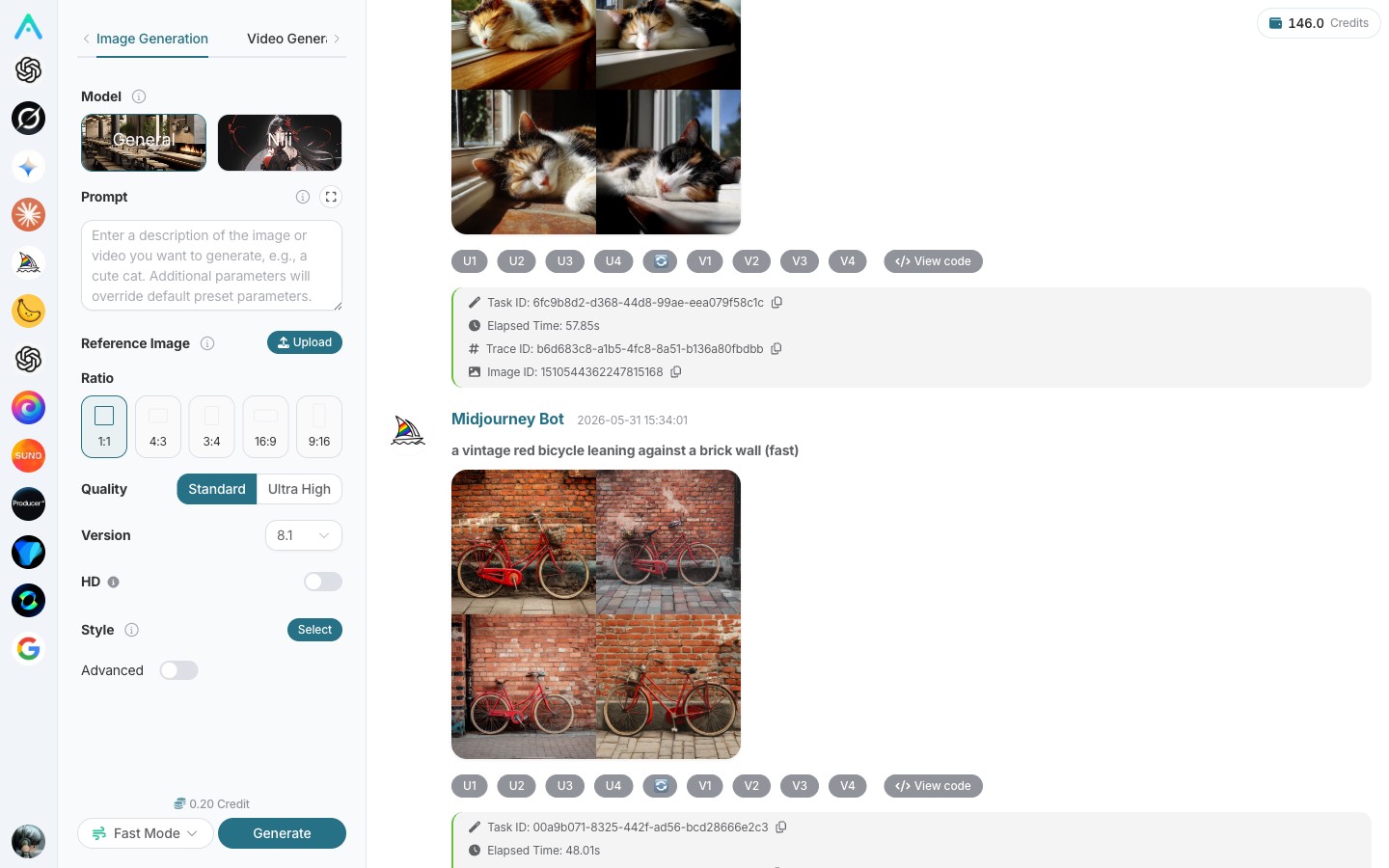
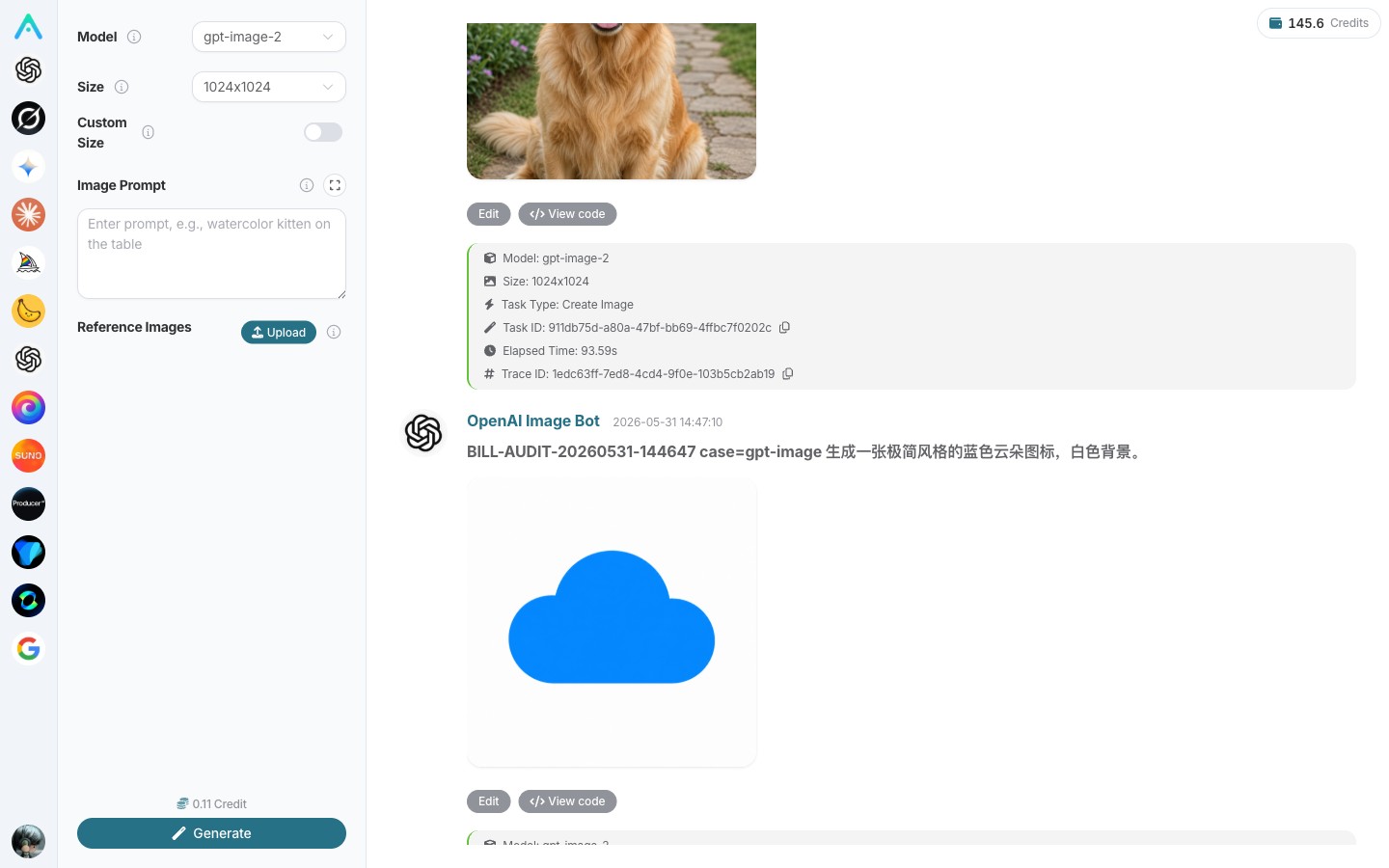
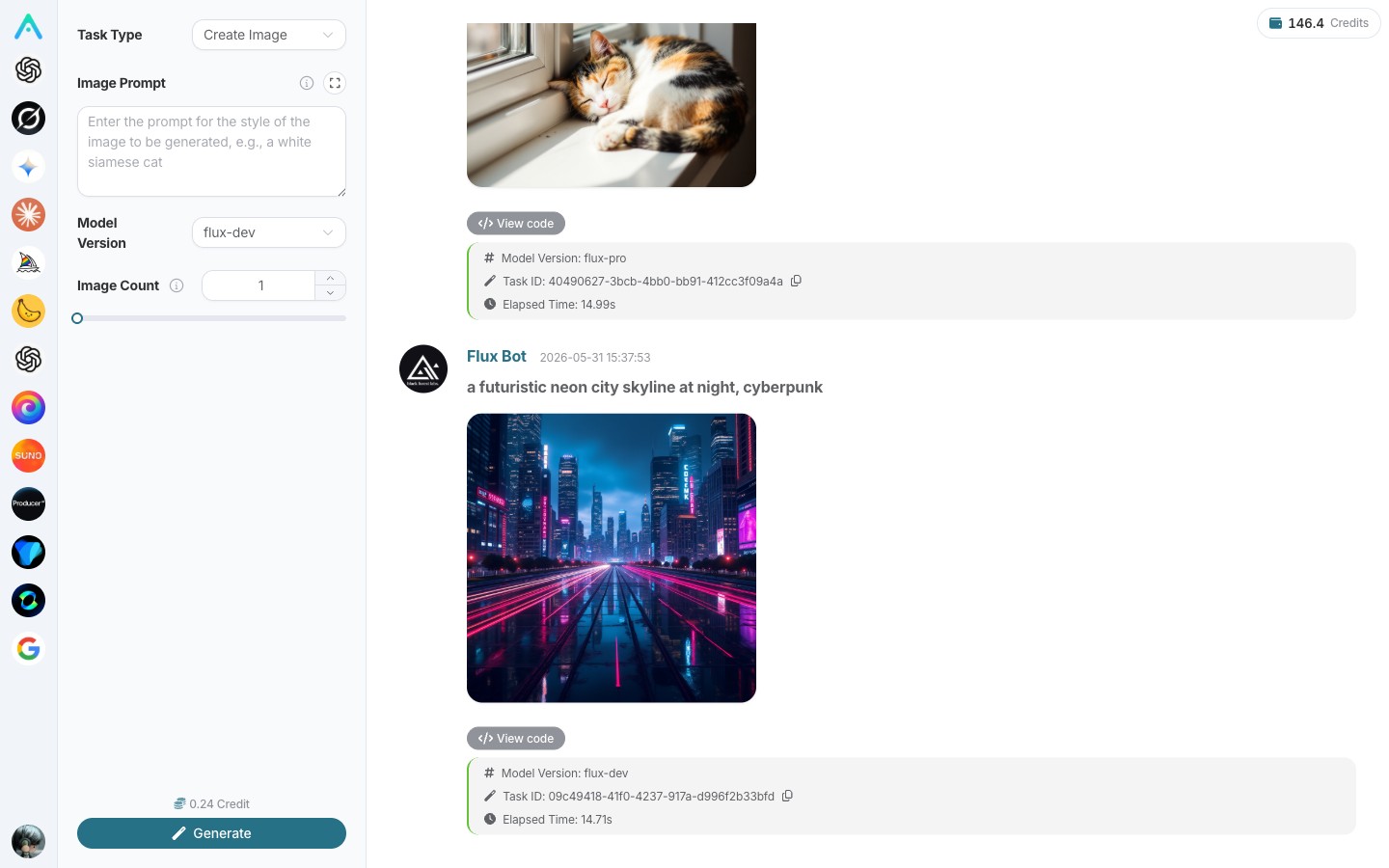
For image generation, Studio integrates some of the best models on the market: Midjourney, known for its artistic style, is almost unavoidable with a very comprehensive style library; the hottest model in the past six months, GPT Image 2, visibly raises the quality of generated images by a whole level; Google's Nano Banana is also included, especially stable for complex scenes and characters; additionally, there is Flux, which generates images very quickly with accurate text rendering, and tools specialized for portraits and ID photos.
Midjourney’s extensive style keywords—oil painting, watercolor, cyberpunk, anime, cinematic, film grain—are made into clickable cards, so you don’t have to memorize all kinds of “spells.” Whether you are creating fashion images for Xiaohongshu, shooting product photos for e-commerce, rushing design drafts, or drawing concept art for games, it’s normal to get from one to ten different style options within five minutes.
¶ Music
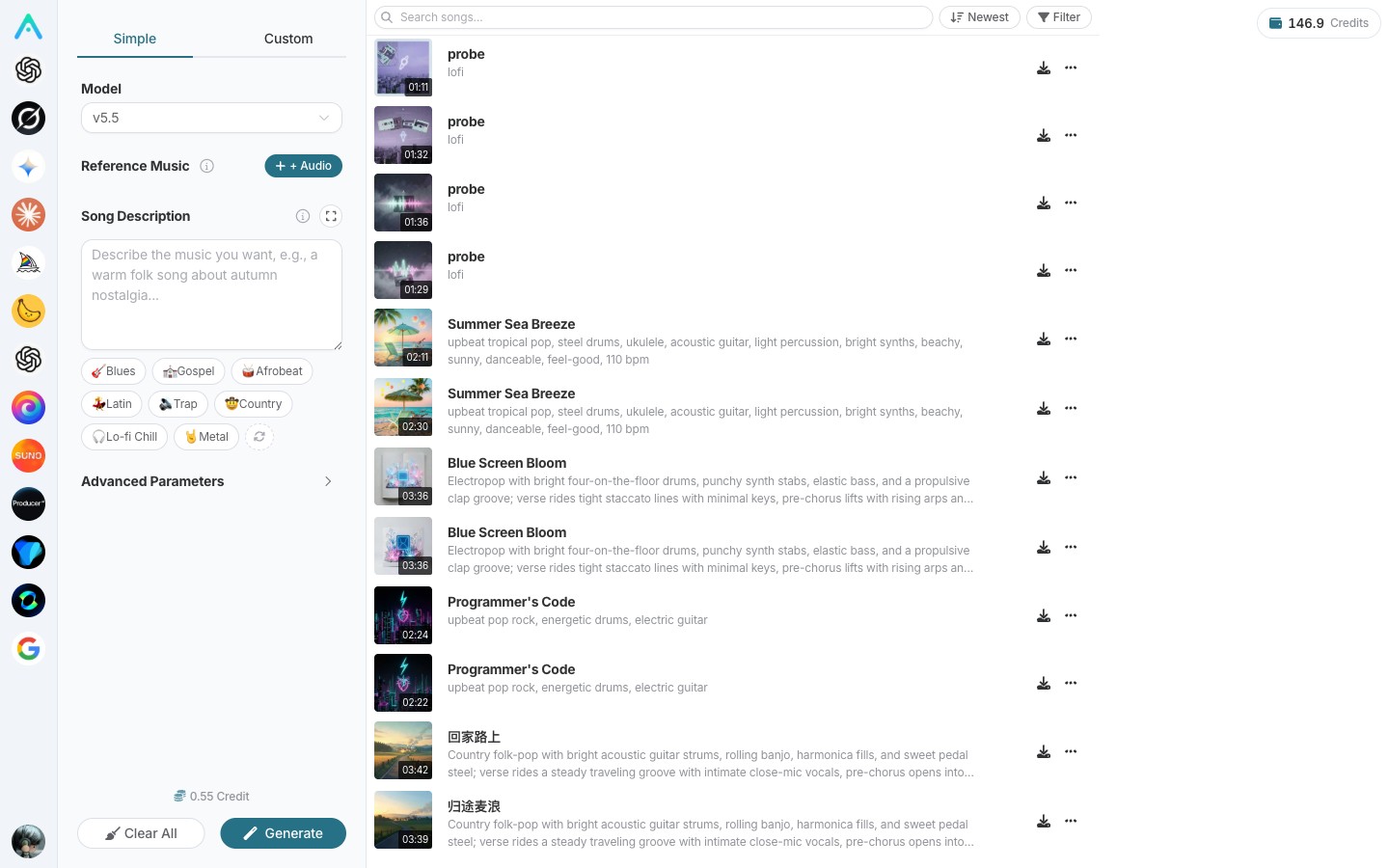
The music section integrates Suno, currently recognized as the strongest AI composition tool, replicating almost all of Suno’s features. Give it a piece of lyrics or a style description—for example, "summer night city folk song, guitar main tune, a bit gentle"—and it will return a complete song. You can extend the length if it’s not enough; separate the accompaniment if you want only the instrumental; or have it sing again in a different style.
Independent musicians use it to produce an album a day, short video creators use it to make 30-second brand theme songs, and game teams use it to batch create level BGM—these are already very common use cases.
¶ Video
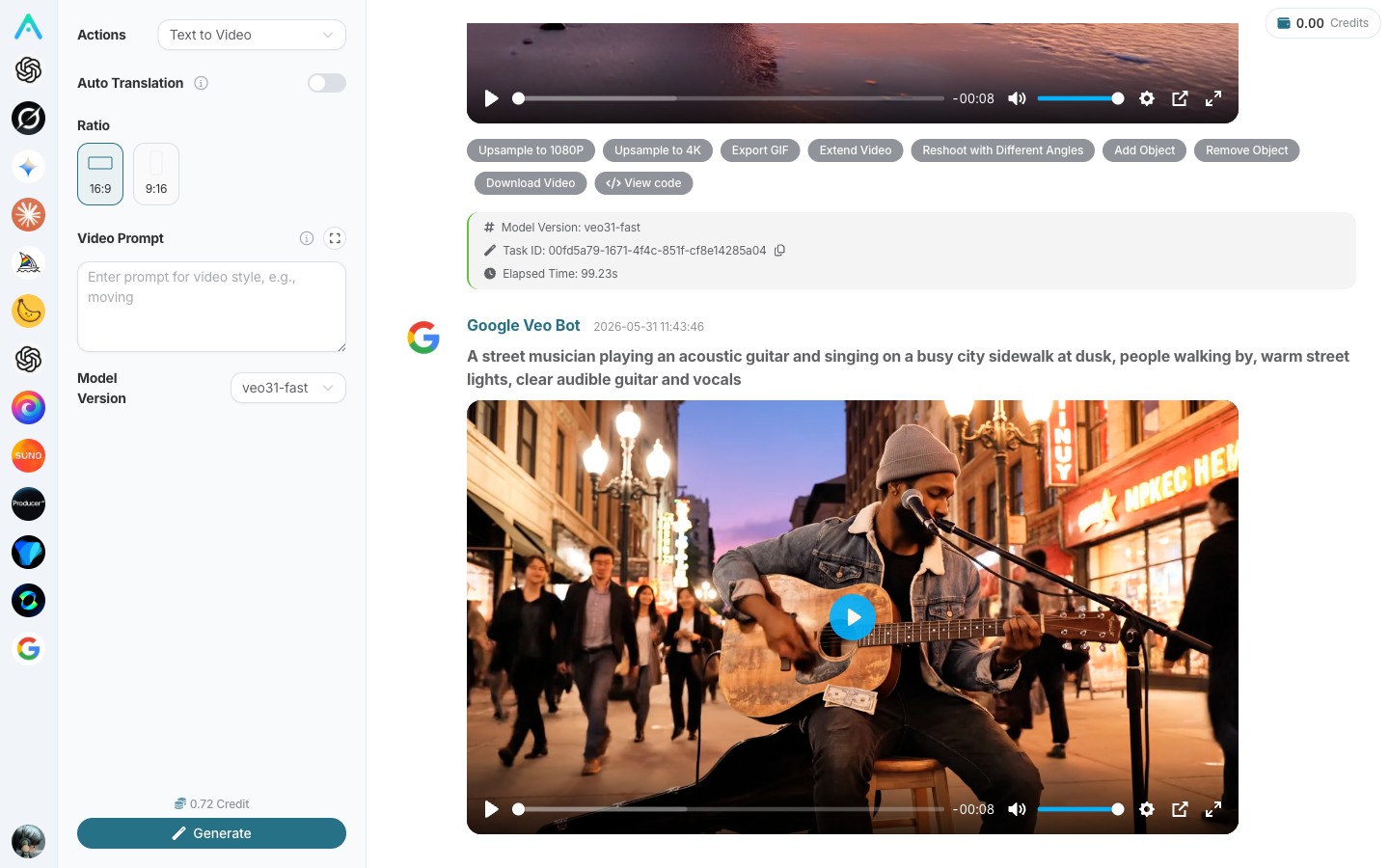
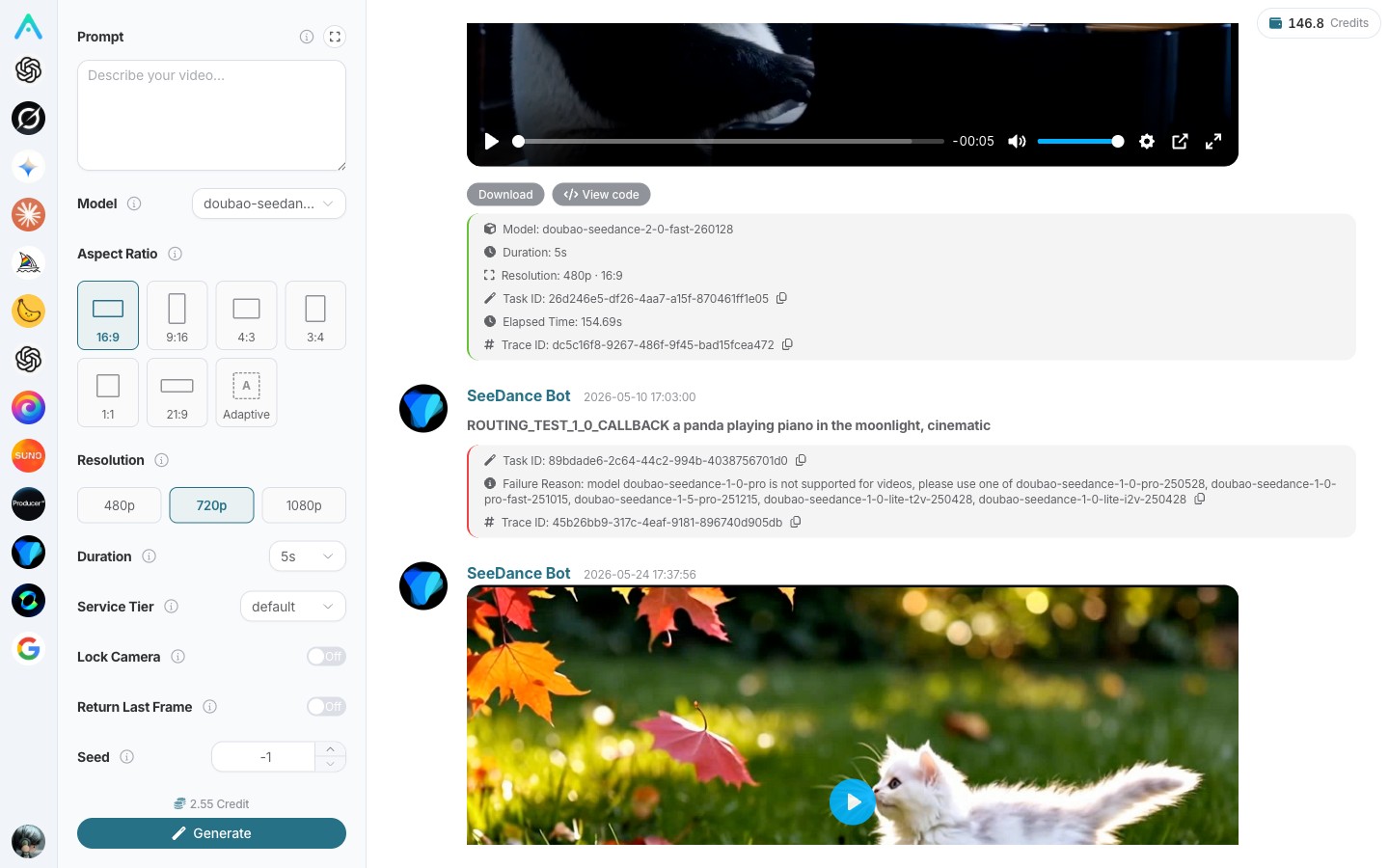
For video, Studio mainly integrates Veo and the latest Seedance 2.0. Veo has very good physicality and camera language, capable of producing cinematic long takes; Seedance 2.0 is the most improved among recent video models, with enhanced accuracy in understanding instructions, smoothness of motion, and naturalness of facial expressions, especially good at dance and complex motion scenes.
You can generate a short video from a single sentence, turn a static photo into a dynamic scene, or continue an existing short video. Combined with music generated by Suno and automatic subtitles, what used to take an editor a whole day to produce a short video can now be done in five minutes for the first draft.
¶ Others
Besides the above, Studio also has built-in real-time web search (SERP) and web scraping capabilities. You can have the model check the latest news, images, maps, academic papers in real time, or provide a webpage link for it to scrape and summarize the content. Combined with chat and data analysis capabilities, the entire chain from material collection to output can be completed in one interface.
¶ Some Worthy Details
¶ Multi-Device Sync
One of the most comfortable features is that you can use it anywhere. You can start an idea on your phone, continue writing on your computer at work, and finish it on your iPad in bed at night—all conversations and creations sync in real time on the cloud without needing to export and import. There is also a native app on mobile, available directly from app stores, with local caching of chat history so you can review past conversations even offline.
¶ Fully Open Source
Studio’s code is fully open source on GitHub (AceDataCloud/Nexior) under the MIT license. If you are a developer, you can fork a copy to study the implementation or modify and deploy it as you like. If you think something can be improved, you are welcome to submit a PR; the community will be happy to review it.
¶ One-Click Subsite Activation
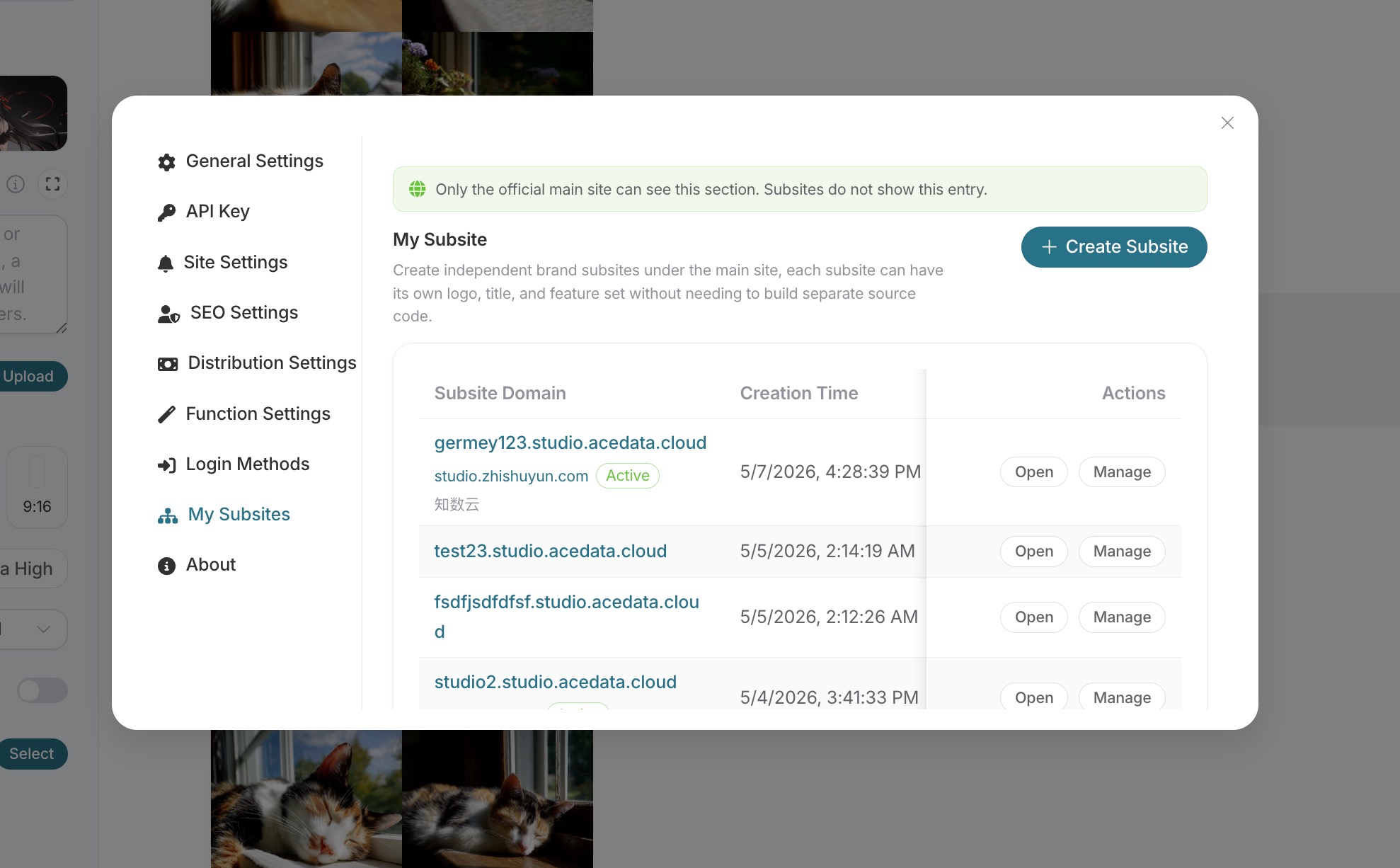
If you are already using Studio and like it, and want to package it as your own product to share with friends, fans, or clients, Studio also provides a lightweight "subsite activation" feature that can be done in 5 minutes. Details on how to use it will be explained below.
¶ Easy Money: Distribution Mechanism
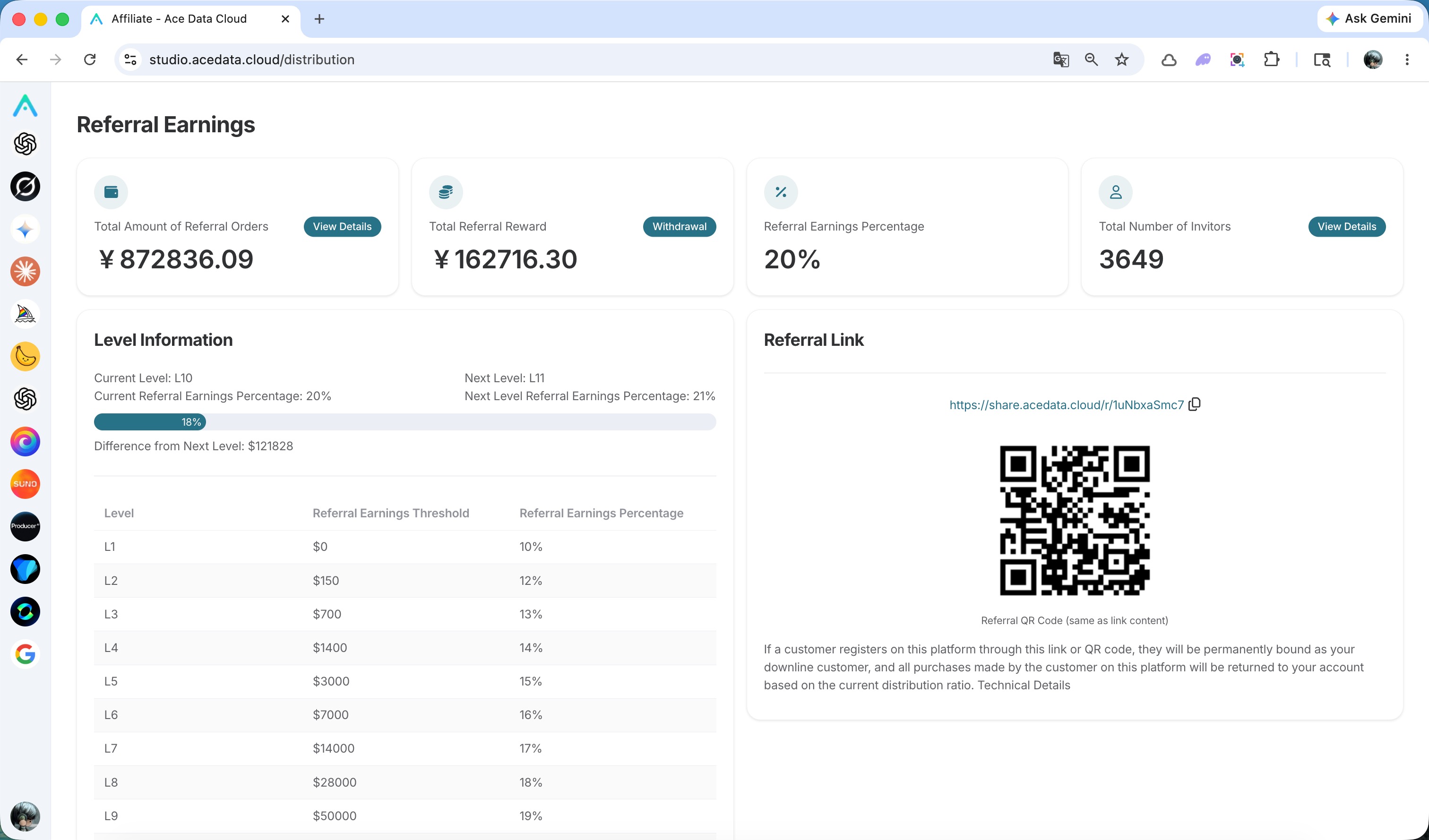
Studio comes with a distribution system. After registering, the system gives you a unique invitation link. You can share it—post in groups, write in blogs, put it in Xiaohongshu or Douyin profiles—friends who use Studio through this link will generate commissions for you on every purchase they make.
The commission rate increases with cumulative referral amounts, starting at 10%, then rising to 15%, 20%, and up to 25%. Many bloggers have turned this into a stable extra income: some with hundreds of thousands of followers earn 7-8k RMB monthly; developer communities with strong user payment willingness can make 200k RMB monthly; students sharing links on campus with a few roommates can easily make a few thousand RMB pocket money monthly.
The process is simple: after logging in, go to your personal center, find the distribution center, copy your unique link, then just share it and wait for settlements. Withdrawals support Alipay, WeChat, and bank cards, with relatively fast processing.
¶ Activate Your Own AI Subsite
If you don’t just want to use it yourself or share links, but want to package Studio as your own product—using your own domain, your own logo, and for your own users—you can directly activate a subsite.
The entry point is console.acedata.cloud. Find Subsite Management, fill out a short form: name it, upload a logo, choose a theme color, and decide which feature new users enter by default after login. If you have your own domain, point it with a CNAME; if not, you can use the provided subdomain. The whole process takes about 5 minutes, and once completed, your subsite goes live.
After the subsite is online, all user consumption from that site will automatically count toward your distribution account, effectively building your brand while earning passive income. Typical use cases we’ve seen include: art schools creating internal subsites for students, with the school covering student usage costs through distribution rebates so each student pays only a few RMB monthly; content creators opening exclusive creative workstations for private fans to make videos, covers, and music, generating continuous income without extra management; B2B companies embedding Studio into their own systems as a value-added service for enterprise clients, saving the hassle of building AI capabilities from scratch.
The key is, the entire process requires no engineers, no servers, no code maintenance, saving months of development time and hundreds of thousands in labor costs, so you can focus on what you do best.
¶ Related Links
Finally, we want to say: the entry barrier is now almost nonexistent—registration is free, trial is free, and there are many ways to use it. The only question is whether you are willing to spend a minute to try it out. If you like it after trying, feel free to share it with friends who might find it useful—this is good for you, for them, and for us.